

Share


Rupak Gautam, October 12, 2026
Get the Best AI Solution
for Your Business Today!
Summary
- Copilot in Power BI sees every table, column and measure you haven’t hidden, but nothing in the model tells it what they mean, so it can filter on the wrong column or pick the wrong measure.
- You can test this with three questions your executives ask, written five ways each and scored against a certified report.
- Add meaning with descriptions (Copilot reads only the first 200 characters), synonyms, and Prep data for AI. Fix relationships and aggregations in the model itself, because AI instructions can’t correct them.
- When systems define a metric differently, someone with authority has to choose one definition and own it. No description field settles that.
- After each round of changes, rerun the same test and have a person score it against the certified numbers.
Table of Contents
Copilot in Power BI can answer questions about your semantic model in plain language, but it only knows what the model tells it. This guide shows why Copilot picks the wrong column or measure, how to test how often it’s right, and where in Power BI to add the business meaning it needs.
In one public training demo, a presenter asked Copilot in Power BI how many banks failed in 2025. It said 572, which was every failure through 2025. A few minutes later he asked the same question and got 2, the right answer.
The question people post on the Power BI forums is usually some version of “can Copilot access the data we have?” It can, and that’s where the trouble starts. A sales manager asks Copilot for last quarter’s net revenue, gets a number that looks reasonable, and pastes it into a deck. Nobody finds out it was wrong until finance publishes the real figure. An answer that’s right 40% of the time is worse than no answer at all, because the sales manager has no way to know which 40% they got.
Fixing that is what our four-week Power BI Copilot accuracy sprint does, one business domain at a fixed price.
Why Copilot in Power BI picks the wrong column
Copilot sees every table, column, and measure you haven’t hidden, with nothing to tell it what they mean to your business.
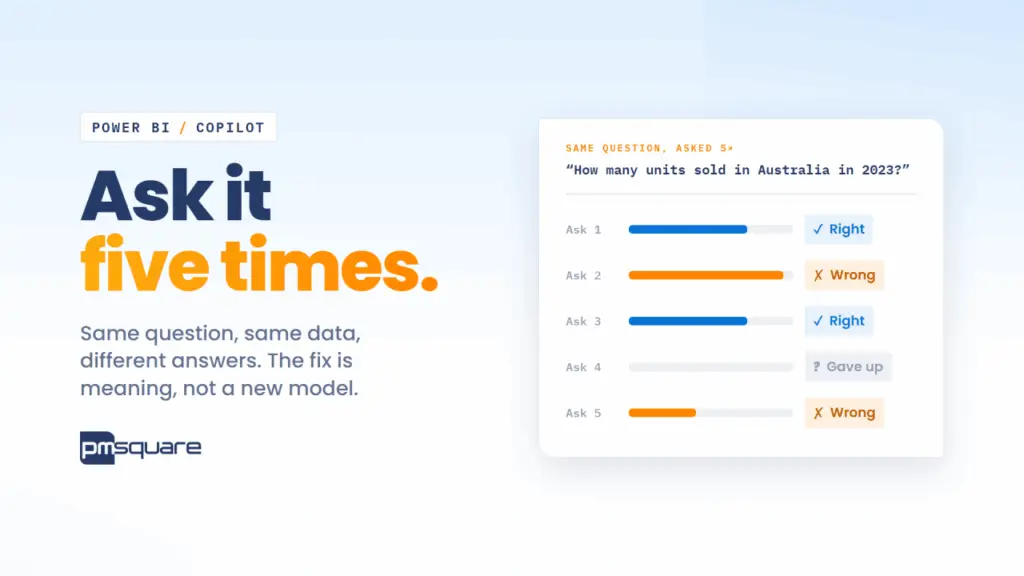
Microsoft’s own documentation shows what that looks like. In one example, a user asks how many units sold in Australia in 2023, and Copilot filters on the Country column in the Customer table instead of the one in the Sales Region table. Both are real columns named Country, and each answers a different question. In another, a user asks which country had the highest profit in 2024. Copilot first says there’s no 2024 data, then filters on the customer Birthday column instead of the marked date table. (Microsoft Learn)
The model did what it was asked with the labels it had. Nothing in the semantic model said “Australia means the sales region” or “a year means the order date.”
Your model has the same exposure. Say it has a measure called Net Revenue. Whether it subtracts returns, canceled orders, or freight is usually written down nowhere a machine can read. Microsoft’s optimization guide tells you to define [Net Sales] “with the approved treatment of returns, discounts, and canceled orders,” and stops before saying who approves it. (Microsoft Learn)
Test Copilot’s accuracy with the five-times self-test
You can run this tomorrow morning with a spreadsheet and one certified report.
- Pick three questions your executives actually ask. Include at least one that has caused an argument before.
- Write down the certified answer for each one from a report your finance or operations team already trusts. Put every filter into the question itself, because Copilot data questions don’t pick up the slicers on the report page. (Microsoft Learn)
- Write five wordings of each question, the way five different people would ask it. Copilot answers an identical prompt on an unchanged model from cache for 24 hours, and clearing the chat doesn’t reset that, so typing the same sentence five times gets you the same answer five times.
- Clear the chat before each question, because Copilot uses the session history as context.
- Score each answer as right, wrong, or no answer. Count a clarifying question or an empty result as no answer. Microsoft’s own guidance warns against reading an empty result as zero.
- For every wrong answer, open “How Copilot arrived at this” and write down which fields and filters it used.
Three questions at five wordings each gives you fifteen scored answers. Pay the most attention to the confident wrong ones, since those are the numbers that end up in decks.
How to prepare your Power BI semantic model for Copilot
You add meaning to the model you already have. Power BI gives you a few specific places to put it:
- Descriptions on measures, columns, and tables. Microsoft says to start with business meaning, unit, and important exclusions, and that Copilot reads only the first 200 characters. (Microsoft Learn) If “excludes intercompany sales” sits in your third sentence, Copilot probably never sees it.
- Synonyms in the linguistic schema, so “bookings,” “orders,” and “sales” map to the measure you mean.
- Prep data for AI, which covers simplifying the data schema (so Copilot ignores helper columns and duplicates like that second Country), verified answers tied to specific visuals, and AI instructions for rules like “fiscal year starts in July” or “top customers means by net revenue.” Some of these features are still in preview.
- Model fixes. Microsoft is explicit that instructions can’t correct inaccurate relationships or inappropriate aggregations, so those get fixed in the model itself.
One more detail from the docs: if you turn on Fabric IQ in the Copilot pane, Copilot stops returning verified answers. (Microsoft Learn) Verified answers help, but they shouldn’t be the whole plan.
Say your ERP books net revenue when the order ships, your CRM books it when the deal closes, and the semantic model subtracts returns while the ERP doesn’t. No description field settles that. Someone with the authority has to pick one definition, write it down, and own it. AI tools can draft a hundred descriptions in an afternoon; getting the controller and the VP of Sales to agree on the one that goes in the model takes a meeting nobody wants to schedule.
Describing the model doesn’t change who can see what. Your existing security roles stay as they are.
How to know your Copilot fixes worked
After you add the descriptions, synonyms, and instructions, run the same fifteen wordings again against the same certified numbers and compare the scores. A person does the scoring against the report, rather than another AI grading the first one.
Keep the test honest enough that it can show no improvement. If a question still misses, the scorecard should say so, along with the fields Copilot picked, so you know whether the next fix is a description, a synonym, or a definition nobody has agreed on yet.
Power BI Copilot and semantic model FAQ
Yes. Copilot sees every table, column, and measure you haven’t hidden. What it doesn’t get is what those fields mean to your business, which is why it can pick the wrong one.
Copilot chooses among fields with nothing in the model to say which one you mean, so different wordings can send it to different columns. It also uses the chat history as context, so clear the chat between questions when you test.
No. Copilot data questions don’t pick up report slicers, so put every filter into the question itself.
Copilot reads only the first 200 characters of a description. Lead with the business meaning, the unit, and any important exclusions so they fall inside that limit.
It’s where you simplify the data schema so Copilot ignores helper and duplicate columns, add verified answers tied to specific visuals, and write AI instructions for business rules. Some of these features are still in preview.
No. Microsoft says instructions can’t correct inaccurate relationships or inappropriate aggregations, so those have to be fixed in the semantic model itself.
Where PMsquare fits
We get Copilot answering correctly about your semantic model in a four-week sprint, one business domain at a fixed price. You keep every system, model, and report, and nothing gets migrated or renamed. At the end you have the described domain (exportable as JSON or YAML), correct answers in the Copilot you already pay for, and the before-and-after scorecard.
Not sure which domain to fix first? Start with a free readiness report. Answer a few questions about your data and AI setup, and within one business day you’ll know where your AI is most likely to guess, which domain to fix first, and which test questions to start with.
Be sure to subscribe to our newsletter for more PMsquare updates and insights delivered straight to your inbox.