


Share


Joe Cozzi, December 29, 2025
Get the Best Cognos Solution
for Your Business Today!
Nowadays, reporting software seems to be centered around tackling one major challenge: the demand for self-service. Cognos often does not get the recognition it deserves in this area. It is typically thought of as a developer-focused tool that requires a depth of technical knowledge, something most users don’t have. While it’s true that Cognos is a powerful tool for trained developers, a Cognos environment can be set up for self-service as well. Self-service can be interpreted differently by different people, depending on their role, and because of this, the expectations of what it should be can vary as well. However, if we stick to the core problem that self-service is intended to address, then we can better understand each other as we walk through Cognos’ approach.
Table of Contents
Why Self-Service Matters
Here’s a run-down of the problem: historically, IT and data teams have been inundated with report requests, big and small, from users across their organization. Until recently, members of those teams were the only ones with access and capabilities to produce such reports, creating a bottleneck that left the IT and data teams overloaded with work. This gave rise to the desire for a self-service tool, enabling users to answer business questions independently, freeing up IT and data teams to focus on more productive work. Enter tools like Power BI and Tableau that make it possible to democratize report development and deliver powerful insights and data driven answers into the hands of any employee in the organization. Power BI is a nice option for this because it integrates seamlessly with the Microsoft stack, making it an attractive option for organizations already using Microsoft tools.
One option often overlooked is Cognos. It is a powerful report development tool that allows Cognos professionals to create advanced reports while, like Power BI, it also gives users the ability to seek answers to their questions on their own, primarily in the form of Cognos Dashboards. In the rest of this article, I will delve into the ways that Cognos delivers a self-service experience.
What Does Self-Service Mean?
Self-service is the ability of members of an organization to find answers to business questions without relying on an IT team or having deep technical knowledge. For developers, this involves backloading as much as possible so that users have quick access to useful functions, standardized metrics, etc.…, and then training users on the data so that they can confidently utilize the data to answer questions on their own.
Cognos Self-Service Tools:
- Dashboard
- Data Module
- Uploaded Files
- Report
Cognos’ primary tool in self-service is the Dashboard.
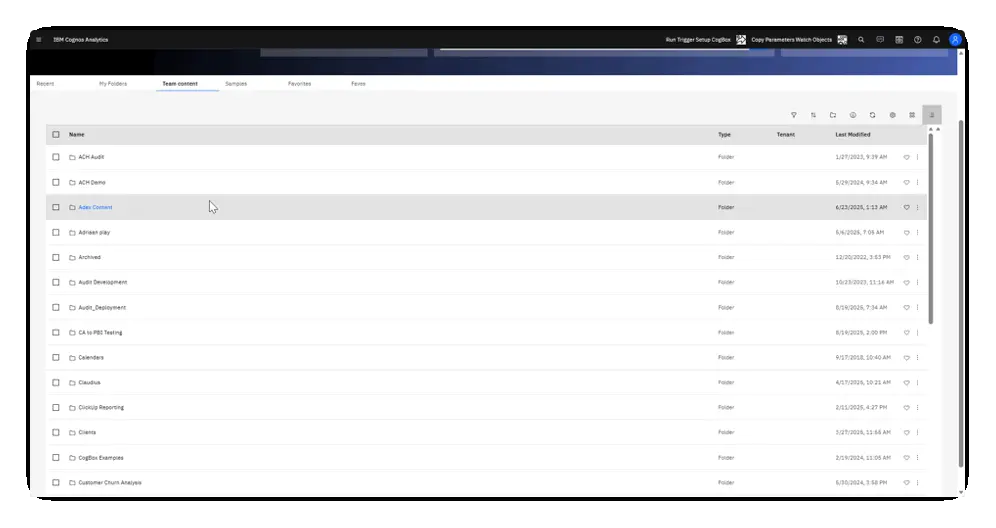
Users can quickly open a Dashboard, select a data source and start finding answers to their questions. In this case, revenue by product type. This is possible because the revenue measure was created within the data source. No need for the end user to create their own calculations.
Users can quickly open a new Dashboard, pull in data from a package, data module, or from their own files, and just drag and drop fields and measures as they please. The Cognos Dashboard is very similar to the Power BI report, but Cognos as a software offers a more holistic approach to tackling self-service.
Other tools complement this approach:
- Data Modules: Used to model data by combining tables, defining relationships, changing data types, and adding calculations or measures. While data modules can be intricate, when built by professionals, it is a very powerful tool in developing useful semantic layers before data is ingested into a report.
- Uploaded Files: Users can easily upload several excel files, bringing their own data into Cognos and expanding flexibility.
Now, this is perhaps a step up from the simplicity of dragging and dropping in a Dashboard, but it goes to show that users are not limited in their approaches to seeking answers.
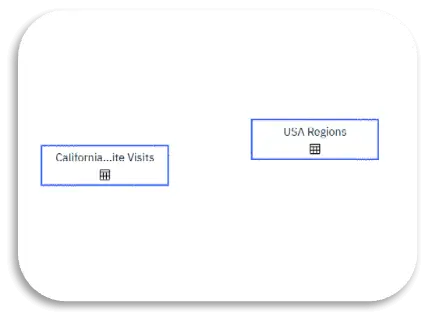
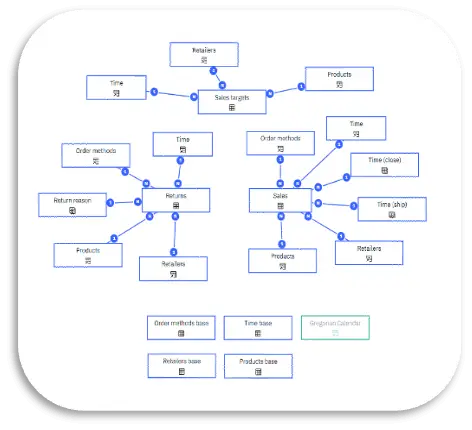
Two examples of a data module. On the left, a more advanced depiction, probably created by a Cognos developer. On the right, a simple yet useable depiction. Perhaps these two tables on the right come from excel sheets that the user uploaded.
IBM has also been implementing AI as a solution to self-service. The introduction of AI-driven features enhances self-service:
- Cognos Assistant: Allows users to ask questions in natural language and get instant answers. For example, a CEO can ask, “What was last quarter’s revenue?” and receive results in seconds. This can also be used to tackle more complex questions by developing a very specific semantic model to back it up.
- Watsonx BI: IBM’s next frontier in self-service. Built on generative AI, Watsonx BI aims to address a major challenge: roughly 80% of employees don’t want to be trained on BI tools. This gap between investment and adoption is what Watsonx BI seeks to close by enabling plain-language interaction with data.
The Bigger Picture
The whole idea of self-service is to minimize the bottlenecks created by the traditional approach of a dedicated team through which all data requests flow. IBM and Microsoft have delivered very powerful tools in Cognos and Power BI to handle self-service. In Cognos this can be a wide variety of self-service options that allow users to gain insights and answer questions on their own with minimal technical knowledge. The investment into self-service hypothetically delivers a strong ROI because data or IT teams are freed up from menial requests to focus on more productive projects. However, low adoption rates often prevent organizations from realizing this potential. IBM is implementing AI in Cognos to address the gap between investment and involvement and deliver on the promise of self-service BI.
Ready to Get Started?
If you’re looking to unlock the full potential of Cognos self-service in your organization, our team is here to help. Reach out to us today for guidance on setup, best practices, and training to ensure your users can confidently leverage Cognos for data-driven decisions.
Want more insights like this delivered straight to your inbox? Subscribe to our newsletter and stay ahead with the latest tips, trends, and strategies in business intelligence.